


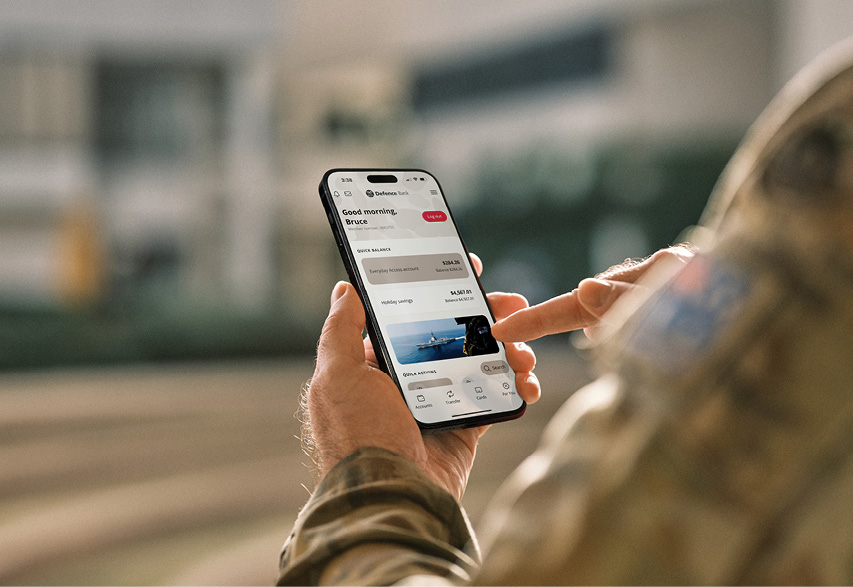
Same bank, better kit.
We're launching a new app and upgrading Internet Banking to make your everyday banking simpler, safer and faster.
A new Defence Bank app and upgraded Internet Banking are coming.
Get ready for simpler, safer digital banking, with clearer navigation, enhanced security and helpful new tools.
You can keep doing your everyday banking. Your accounts, payees, scheduled transfers and existing settings will carry over.

Key dates
We'll keep you updated with what's happening and when.

Preparation begins
Check you know your member number, Internet Banking password and have access to your registered mobile number or VIP Access device.
New app launches
From 26 November, go to Apple App Store/Google Play Store and download the new Defence Bank app and follow the set-up guide.
Make the switch now
Time to move to the new app to get access to new features and keep managing your accounts.

Internet Banking upgrades
Log in to Internet Banking as usual and complete the login security checks.
Get ready for the new app
The new app arrives on 26 November. Keep using your current app for now, and check the details below so you’re ready for your first login. We’ll provide download and setup instructions closer to launch.
Internet Banking upgrade
Keep banking as usual for now. There’s nothing to download or prepare.
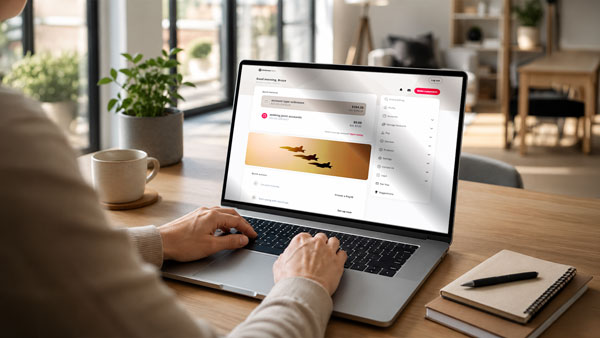
From 2 December, your upgraded Internet Banking will have a fresh design and clearer navigation. Simply access it through the Defence Bank website as usual. Log in with your existing member number and Internet Banking password, then complete the additional security check shown on screen.
What's new at launch
The new app and upgraded Internet Banking will have a fresh design, clearer navigation and a more consistent experience.
You’ll also be able to personalise the app with light or dark mode, edit your dashboard and use additional login security when accessing Internet Banking.
Most everyday banking functions will still be available. Some familiar features will not be available at launch and will be reintroduced in future releases.

Frequently asked questions
Find more information about getting ready, logging in, settings and features.
The new Defence Bank app launches on 26 November 2026.
Upgraded Internet Banking will follow on 2 December 2026.
No. You can keep banking as usual using the current Defence Bank app.
In the meantime, it’s a good idea to make sure you know your member number and Internet Banking password, so you’re ready for your first login.
We’ll provide you with download and setup instructions closer to launch.
We’re upgrading the Defence Bank app and Internet Banking to give you a simpler, more consistent and secure digital banking experience.
Yes. Your accounts, payees, scheduled transfers and existing settings will carry over.
Yes. You’ll still be able to do your everyday banking, including viewing your accounts and transactions, making transfers and BPAY payments, managing PayIDs and cards, and accessing scheduled payments.
Some features will look or be located differently because the menus and dashboard have been redesigned.
You’ll notice a new look and some changes to where things are located.
The new app includes:
- clearer navigation and an updated dashboard
- additional security controls
- light and dark modes
- the ability to personalise your dashboard.
You’ll also be able to customise the layout and choose which features are displayed on your dashboard.
Most of your everyday banking features will continue to be available, but some features from the current app will not be available when the new app first launches.
Quick Transfer will not be available at launch and is being considered for future development. Pay Day Countdown will also not be available at launch and is planned for a later phase.
We’ll provide you with download and setup instructions closer to launch.
In the meantime, make sure you know your member number and Internet Banking password, so you’re ready for your first login.
Member number: You can find your member number in the current Defence Bank app, on a Defence Bank statement or in your welcome email.
Internet Banking password: Select ‘Log In’ on our website to access Internet Banking, then select ‘Reset password’.
The new app will support devices running iOS 16.4 or later and Android 7.0 or later
The new app includes additional security controls designed to help protect your digital banking.
Defence Bank will never call you and ask for your member number, Internet Banking password or SMS security code.
If you're unsure about a call or message you've received, don't provide your banking details. Contact us directly on 1800 033 139.
The current Defence Bank app will stop working from 1 December 2026. From this date, you’ll need to use the new app to manage your accounts and access its new features.
The current Internet Banking will be upgraded on 2 December 2026.
Need a hand?
Can’t log in? Call 1800 033 139, 9:30 am - 4:00 pm, Monday to Friday. If you can log in, you can also send us a Secure Message.
Stay scam aware during the upgrade
Defence Bank will never call, text or email you a download link or ask for your password.
Use the App Store or Google Play for app downloads, and access Internet Banking via our website. If a message leaves you unsure, call 1800 033 139.
App Store is a service mark of Apple Inc., registered in the U.S. and other countries. Android, Google Play and the Google Play logo are trademarks of Google LLC.